The My Profile section of your cloud platform’s control panel helps you manage your personal information, subscriptions, and account settings securely and efficiently.
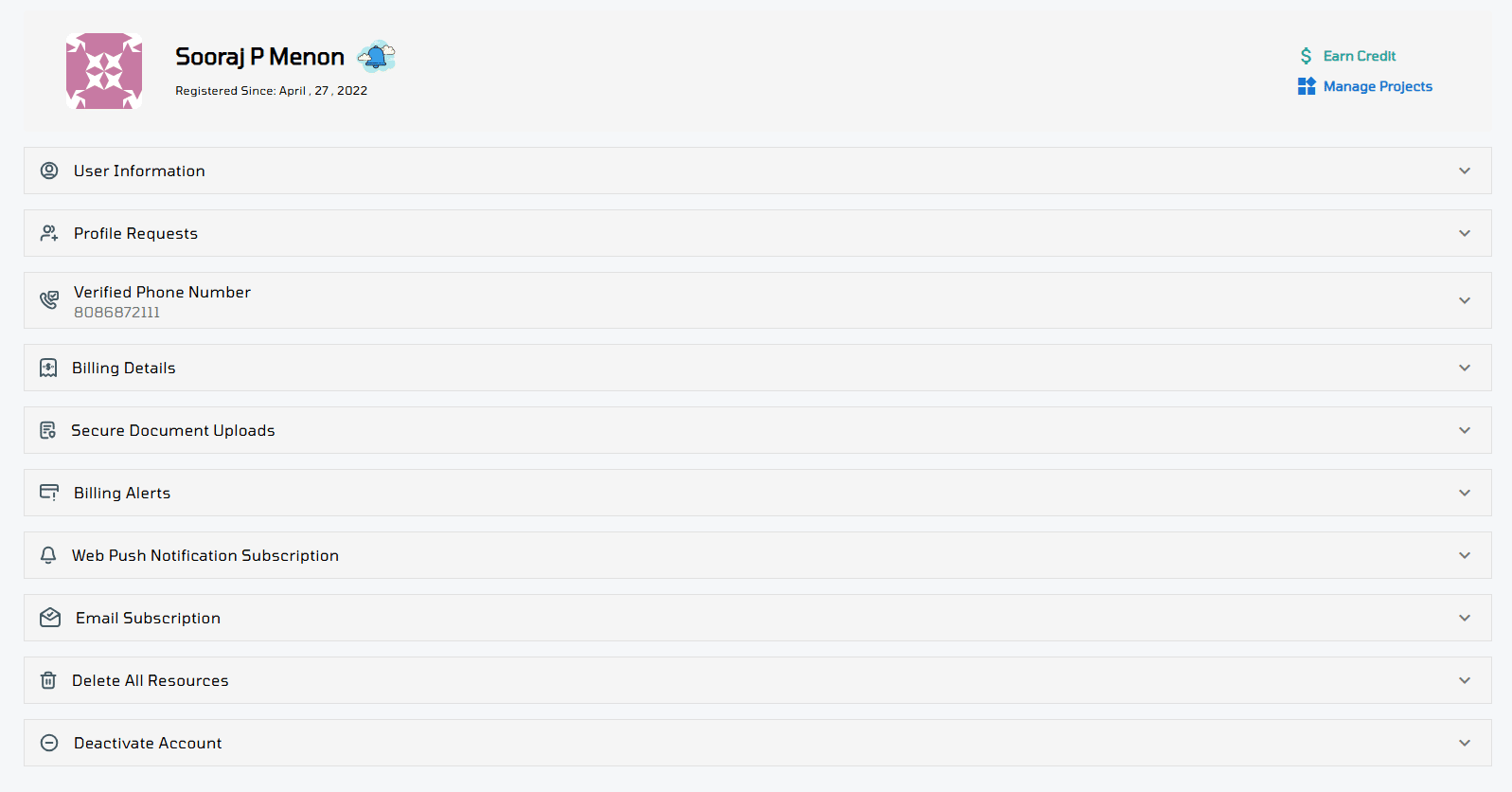
Here’s a breakdown of each feature available under My Profile:
User Information
Easily view and manage your personal details such as your name, email address, and contact information and etc.
Use the drop-down arrow to update your information.

Profile Requests
This section lists requests from other VPSie accounts that want to access your projects, for example, a team member requesting to join your workspace or access a specific servers or other resources.
✅ Accept a request to grant access.
❌ Remove a request to decline or revoke access.
Use this section to manage collaboration securely and stay in control of who can access your resources.

Billing Details
View or update your billing address here and Ensure your billing information is up to date to avoid service interruptions.

Secure Document Uploads
Upload and manage documents securely (e.g., KYC, ID verification).
All uploads are encrypted and stored securely.

Billing Alerts
Set up billing alerts to stay on top of your usage and avoid unexpected charges.
- Receive an email notification when your usage exceeds a specified amount.
- Set your custom alert threshold in USD (e.g., $500, $1500, etc.).
Helps you monitor spending and manage your cloud budget proactively.

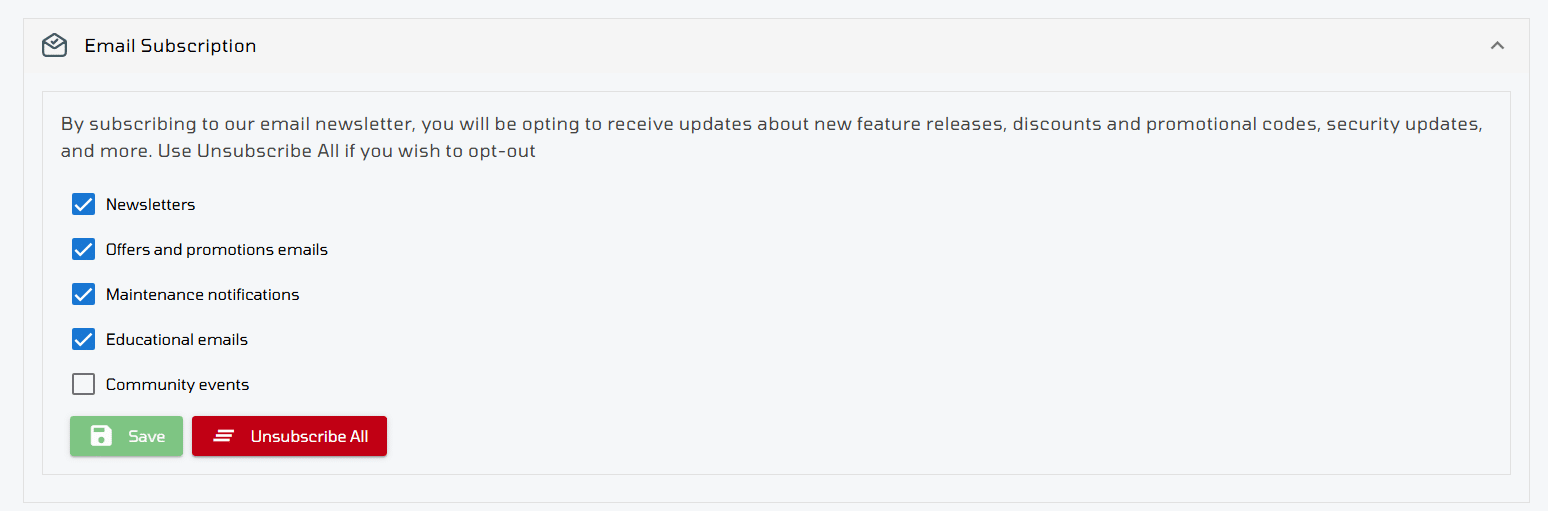
Email Subscription
Manage your email preferences for newsletters, alerts, and product updates. Choose what emails you want to receive from us.
Delete All Resources
Permanently delete all your cloud resources, including servers, storage, and other configurations.
⚠️ Use with caution. This action is irreversible.
Deactivate Account
Permanently deactivate your account and remove access to all services.
⚠️ This action is irreversible. Make sure to back up all important data and delete any active resources before proceeding.
Use this option only if you’re sure you no longer need the account.