
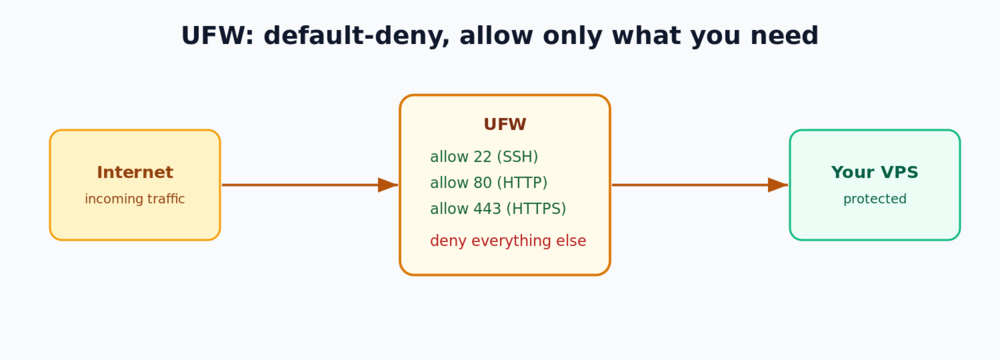
A new VPS exposes every running service to the whole internet by default. UFW (Uncomplicated Firewall) is the friendly front-end to Ubuntu’s built-in firewall — with a handful of commands you can block everything you are not using and allow only the ports you need. This guide sets up a safe default-deny firewall on Ubuntu 24.04 LTS without locking yourself out.
Prerequisites
- An Ubuntu 24.04 LTS server (a VPSie cloud VPS is ideal).
- A
sudouser with SSH access. If you have not secured login yet, start with SSH hardening for your Linux VPS.
Step 1 — Check UFW status
UFW ships with Ubuntu but is inactive by default:
sudo ufw status verboseStep 2 — Set default policies
The safest baseline is to deny all incoming traffic and allow all outgoing:
sudo ufw default deny incoming
sudo ufw default allow outgoing
Step 3 — Allow SSH FIRST (do not skip)
Before you enable the firewall, allow SSH — otherwise the default-deny policy will cut off your own connection:
sudo ufw allow OpenSSH
# or, if SSH runs on a custom port:
# sudo ufw allow 2222/tcp
Step 4 — Allow web traffic (if you run a site)
sudo ufw allow 'Nginx Full'     # opens 80 and 443
# or open the ports directly:
# sudo ufw allow 80/tcp
# sudo ufw allow 443/tcp
Step 5 — Enable the firewall
sudo ufw enableConfirm the active rules:
sudo ufw status verboseStep 6 — Manage rules
# Restrict SSH to a single trusted IP (great with a static office/home IP)
sudo ufw allow from 203.0.113.10 to any port 22 proto tcp

# List rules with numbers, then delete one by its number
sudo ufw status numbered
sudo ufw delete 3

# See the bundled application profiles
sudo ufw app list
Step 7 — Logging, reset and disable
sudo ufw logging on        # logs to /var/log/ufw.log
sudo ufw disable           # turn the firewall off
sudo ufw reset             # wipe all rules and start over
Next steps
- Automatically ban brute-force login attempts: protect SSH with Fail2ban.
- Serve your apps safely behind HTTPS: Nginx as a reverse proxy.
Conclusion
Your VPS now rejects every unsolicited connection except the services you explicitly opened. A default-deny firewall is one of the highest-impact, lowest-effort security wins for any server — pair it with SSH hardening and Fail2ban for a solid baseline.