
One cloud platform.
Run it with us, on your site, or under your brand.
Cloud servers, bare metal and GPU servers in 12 locations, with storage and backup. Or install the same platform in your own data center, connected or air-gapped, or sell it under your own brand. One console and one API either way.
Selling cloud yourself? See Cloud EnablerNot sure which fits? Compare who does what
Every service on one account
Start with one server. Add storage, networks, backup and recovery when you need them, without a new contract or a new console.
Cloud servers
Virtual servers you control. You manage everything from the operating system up.
Bare metal servers
A whole physical server for you alone, ordered and managed like a cloud server.
Managed Kubernetes
Managed Kubernetes clusters that you create and resize in the console.
Managed platform
Databases and load balancers that VPSie runs for you, so you skip the server work.
Storage
Storage that grows with you, including hyperconverged (HCI) storage on your own nodes.
Migration
Move workloads from the platform you run today, with no agents to install.
Backup
Copies of your servers and data, kept off the original machine and ready to restore.
Disaster recovery
A second site ready to take over if the first one fails.
Security
Firewall, encryption and access control for every server.
Multi-cloud management
One console to see and control the clouds you already run, and what each one costs.
Two ways to run the same cloud
Choose by who operates it. The features and the platform are the same.
VPSie Cloud
VPSie runs itFor developers, startups and teams that want to build, not operate. Cloud servers, bare metal and storage in 12 locations.
- Deploy in minutes
- Pay as you go
- Managed platform
- Choose your location
VPSie Private Cloud
You or a partner run itFor enterprises, MSPs and resellers who need control, compliance, or a VMware alternative in their own facility.
- Dedicated resources
- Your data, your site
- Predictable costs
- Resell under your brand
How it works
Four steps from choosing a model to growing it.
Choose a model
VPSie Cloud, run by VPSie, or VPSie Private Cloud, run by you or a partner.
Deploy
Pick a location and a size, and deploy in minutes.
Operate
Servers, bare metal and storage on one account, from one console and API.
Scale
Add storage, networks, backup and recovery when you need them, without a new contract or console.
Sell cloud under your own name
Telecom operators, ISPs and regional clouds in Africa, the Middle East and Asia run their branded cloud on VPSie software, with their own plans, prices, invoices and data centers.
- Your brandWhite-label console, API and domain, with your logo and colors.
- Your customersYour plans, prices and billing. Your customers see your brand, not ours.
- Your data centersRun it on your hardware and sites, with VPSie support when you need it.
- Launch fastThe same services as VPSie Cloud. Timing depends on your hardware and approvals.
Who does what
See where the work and responsibility sit before you choose.
| VPSie Cloud | Private, you run it | Private, a partner runs it | |
|---|---|---|---|
| Hardware and facility | VPSie | You | Partner |
| Platform updates | VPSie | You VPSie supports | Partner |
| Day-to-day operations | VPSie | You | Partner |
| Where data lives | Your choice of 12 global locations | Your site or sites, or hybrid with VPSie Cloud | The partner's site, or hybrid with VPSie Cloud |
Why teams choose VPSie
The same strengths in both models.
Data stays where you say
Pick a VPSie location, or keep everything on your own site.
Built to stay up
Backup, snapshots and disaster recovery are built into the platform.
Close to your users
Choose from 12 locations, or host it in-house.
Storage included
Object, block, file and HCI storage on the same account.
Data sovereignty and compliance
Your data stays under your control, in the country and on the site you choose. VPSie owns and develops the platform software, so there is no third-party cloud in the path.
- Choose one of 12 locations, your own site, or a partner site
- Run fully air-gapped, with no outside connection
- Local laws and your own policies apply to your data
- Independent audits and standards to back it up
Data handling aligned with GDPR
12 locations, one console
Cloud servers run in 12 locations; the locations page lists what each site offers. You pick the location for each resource and manage them all from the same console and API.
Start where you are
Protect and manage what you run today. Migrate when you're ready.
Protect
Backup, snapshots, replication and tested recovery for the platforms you run now.
Manage
One console to see and control your clouds, and what each one costs.
Migrate
Move workloads into VPSie Cloud or your private cloud, with no agents to install.
Works with the platforms you run today
Migrate covers the platforms below. Protect and Manage support VMware, AWS and Azure today.




 Hyper-V
 XCP-ng

 KVM

 Azure

 Alibaba Cloud
 Huawei Cloud
Locations
Choose where your cloud runs across regions, or keep it on your own site.Services
Servers, storage, network, backup, security, migration and more, on one account.One-click apps
Databases, web stacks and business tools, ready to run in minutes.Platforms
Migrate from 13 platforms. Protect and Manage support VMware, AWS and Azure today.Trusted by operators and enterprises
Telecom operators, banks, universities and government agencies run on VPSie, built with hardware and software from our technology partners.
Customers
 EcobankPan-AfricaBanking
 e&United Arab EmiratesTelecom
 PCCWHong KongTelecom
 Zambia Revenue AuthorityZambia Revenue AuthorityZambiaGovernment, tax
 Fulton CountyGeorgia, United StatesGovernment
 Adecco GroupSwitzerlandStaffing
 ACA GroupUnited StatesGovernance, risk and compliance
 Energy Capital PartnersUnited StatesEnergy transition investor
 Sinai UniversityEgyptEducation
 Capital UniversityCapital UniversityEgyptEducation
 Nournet KSASaudi ArabiaInternet provider
 InfratelZambiaTelecom infrastructure
 To7 NetworkDjiboutiNetwork and data center
 NaiTelJordanTelecom
 AleriaUnited Arab EmiratesSovereign AI and data platform
 Redcap CloudUnited StatesClinical research platform
 Wingu AfricaAfricaCloud provider
 OnecloudMozambiqueCloud provider
 VIPnetCôte d'IvoireInternet provider
 GuiLab CloudGuineaCloud provider
 Link Data CenterEgyptData center
 247RackUnited StatesHosting and data center
 EliteVADUnited Arab EmiratesIT distribution
 Clearview EnergyUnited StatesEnergy
 CoviaUnited StatesMinerals and industry
 SpamTitanIrelandEmail security
- Global Trading AnalyticsGlobal Trading AnalyticsUnited StatesFinancial analytics
 AltrnativFranceCybersecurity and data
 Aghapy TVGlobalMedia
Technology partners
 NVIDIAUnited StatesGPU and AI
 MicrosoftUnited StatesSoftware
 Dell TechnologiesUnited StatesServers and storage
 HPUnited StatesServers and devices
 FortinetUnited StatesNetwork security
 Palo Alto NetworksUnited StatesNetwork security
 ParallelsUnited StatesSoftware
 Console ConnectSingaporeNetwork
 Telekom MalaysiaMalaysiaTelecom
 SupermicroUnited StatesServers
 XenServerUnited StatesVirtualization
 Versa NetworksUnited StatesSD-WAN and SASE
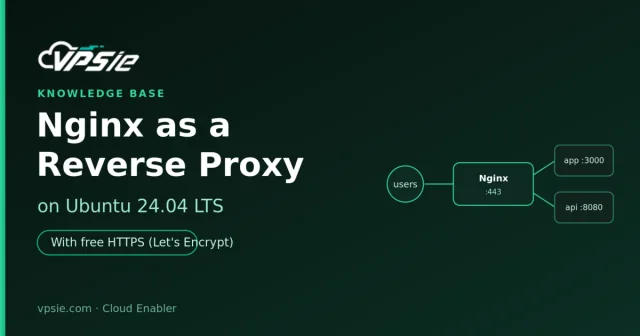
Learn it step by step
How-to guides and the knowledge base, written by our engineers.



Start on our cloud or build your own
Create an account to use VPSie Cloud today, or talk to an expert about a private cloud.