
Installer le stack LAMP sur VPSie
Ce tutoriel détaille l'installation du stack LAMP sur VPSie CentOS 6.0 (Linux, Apache, MySQL, PHP)
Nous utilisons un VPS CentOS 6.5 x64 avec le forfait Jerry (4 $/mois) pour ce tutoriel
yum install httpd

Result should be something like the screenshot below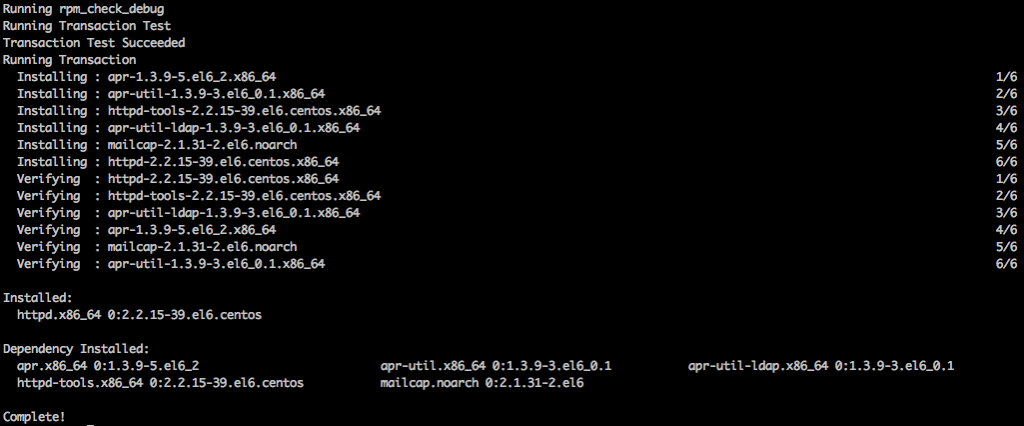
service httpd start
yum install mysql-server
service mysqld start
Pour définir le mot de passe MySQL
/usr/bin/mysql_secure_installation

Install PHP and php-mysql
yum install php php-mysql

If you have a requirement to install some php modules you can use this command to search then use yum in install the module
yum search php- then yum install modulenameTo make sure those services start at boot time run
chkconfig httpd on
chkconfig mysqld on


Thats all:)

You may also take advantage of the one click VPSie LAMP available at the applications menu.
Vous pouvez en réalité créer cette configuration sur notre plateforme en quelques minutes en utilisant notre PCS (Private Cloud Solution), qui vous permet de disposer de VPSie(s) sur un réseau privé – NAT – redirection de ports – contrôle du trafic entrant et sortant – plusieurs adresses IP de passerelle que vous pouvez utiliser pour l'équilibrage de charge et la bascule.