
Como instalar a pilha LAMP em VPSie
Este tutorial é um passo a passo sobre como instalar a pilha LAMP em VPS CentOS 6.0 (Linux, Apache, MySQL, PHP)
Estamos usando um CentOS 6.5 x64 com pacote Jerry ($4/mês) para este tutorial
yum install httpd

Result should be something like the screenshot below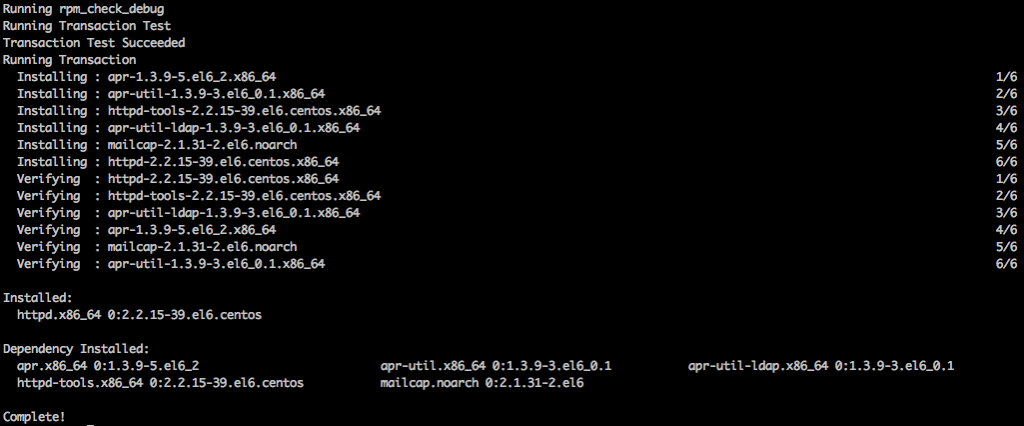
service httpd start
yum install mysql-server
service mysqld start
Para definir a senha do MySQL
/usr/bin/mysql_secure_installation

Install PHP and php-mysql
yum install php php-mysql

If you have a requirement to install some php modules you can use this command to search then use yum in install the module
yum search php- then yum install modulenameTo make sure those services start at boot time run
chkconfig httpd on
chkconfig mysqld on


Thats all:)

You may also take advantage of the one click VPSie LAMP available at the applications menu.
Você pode, na verdade, criar esta configuração em nossa plataforma em poucos minutos utilizando nosso PCS (Private Cloud Solution), que permite ter VPSie(s) em uma rede privada – NAT – encaminhamento de porta – controle de tráfego para entrada e saída – múltiplos IPs de gateway que você pode usar para balanceamento de carga e failover.