
Secure SSD Cloud Storage
Deploy compute instances instantly with SSD-backed performance, high availability, and flexible configurations for running demanding applications or scaling infrastructure efficiently.

Secure Your Data, Instantly
Get started with ultra-reliable SSD cloud storage. Deploy block, object, or file storage solutions without delay.
Simple
Streamlined Solutions for Effortless Operations
AUTOMATED
Harnessing Technology for Seamless Processes
Secured
Protecting Your Data with Advanced Measures
Fast, Flexible, and Durable Storage
Store critical data with confidence using enterprise-grade SSD storage. Choose between object, block, or file systems tailored to your architecture
- SSD performance across all tiers
- Block, object, and file types
- High durability and redundancy
- Easy scaling and migration
Storage
Reliable and secure pure SSD cloud-based storage services for your business
businesses seek comprehensive storage solutions that cater to diverse needs
Amidst the ever-evolving cyber-security landscape, ensuring the reliability and security of stored data is a top priority for businesses
Cloud-based storage services built on pure SSD infrastructure
Cloud-based storage services built on pure SSD infrastructure provide a robust solution to safeguard sensitive information. By leveraging the inherent security features of cloud platforms coupled with the performance benefits of SSD technology, organizations can mitigate risks associated with data breaches or unauthorized access. This integrated approach not only bolsters data protection but also instills confidence in stakeholders regarding the integrity and confidentiality of their information.
10 factors to decide on the best cloud or SSD VPS hosting provider
Benefites of an SSD Cloud Server
Performance
SSD cloud servers offer exceptional performance due to the use of state-of-the-art NVMe SSD drives, ensuring superior speed and scalability.
Reliability
SSD cloud servers are known for their stability and reliability. The absence of moving parts reduces the risk of damage and server crashes.
Cost-effectiveness
While SSDs may initially be more expensive, the long-term benefits of increased performance and productivity make them cost-effective.
Scalability SSD
cloud hosting offers unmatched scalability, allowing users to adjust server resources based on their needs.



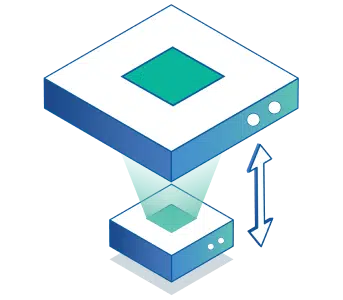
You can attach extra storage to your VPSie and customize the type, capacity, and file system of the desired additional storage
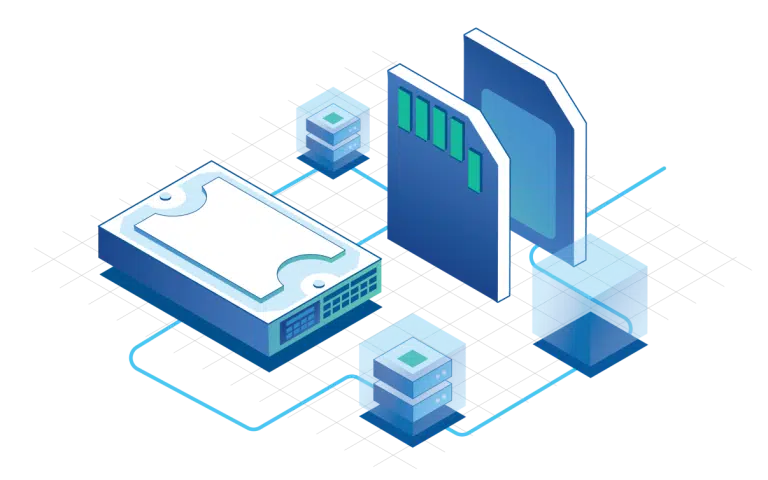
Integrating both SSD and HDD storage into cloud-based services,
Organizations can optimize their storage infrastructure to meet diverse workload requirements. Critical data and applications can be stored on SSDs to leverage their high performance and responsiveness, ensuring fast access and efficient processing. Meanwhile, less frequently accessed or archival data can be stored on HDDs to maximize storage capacity and minimize costs.
Give it a Try Today
Feel free to reach out using the below details.
In the control panel and API
- Block volumes
- A volume works like a physical disk. Use it for an operating system or a data filesystem, and attach or detach it from servers as needed.
- Resize and reassign
- Grow a volume's size in GB, rename it, or move it to another server without copying data.
- Volume snapshots
- Snapshot a volume, roll it back to that point, or clone the snapshot into a new volume. Snapshots are free.
- Server snapshot policies
- Schedule snapshots for a group of servers and set how many to keep, so you always have a recent restore point.
- Backup policies
- Run backups every hour, day, week or month, choose the UTC start hour, and keep up to the platform limit per server, 90 by default.
- Restore or clone
- Restore a server from a backup, or create a new server from a backup or snapshot to test changes safely.
Automate it with the API
Create, attach, resize and snapshot volumes through the REST API at https://api.vpsie.com/apps/v2.
Read the Storage API referencePOST /apps/v2/storage/create {storages: [{dcIdentifier, name, size}]} POST /apps/v2/storages/vm/attach {storageIdentifier, vmIdentifier} PUT /apps/v2/storages/edit {storageIdentifier, size} POST /apps/v2/storages/snapshot {storageIdentifier, name} POST /apps/v2/backups/policy/create {name, backupPlan, planEvery, keep, vms} POST /apps/v2/backups/restore {backupIdentifier}